| |
| |
|
 |
Please
read notes before install the firmware. |
| |
1.Please back up your data.
2.Please make sure the battery is charged enough for upgrade.
3.Please do not press the reset button the device while it is upgrading.
4.Please make sure you are disconnecting device with "safely remove hardware" for safely disconnect your device and PC. |
| |
|
|
 |
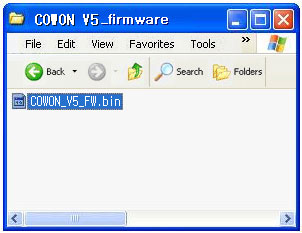
Download the firmware
file in your PC and unzip it. |
| |
 |
| |
|
|
 |
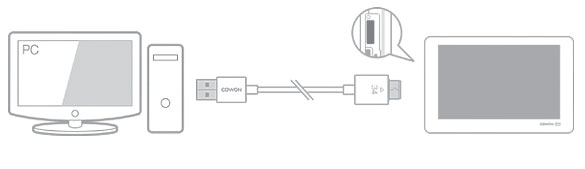
Connect COWON V5 to PC via USB cable. |
| |
 |
| |
|
|
 |
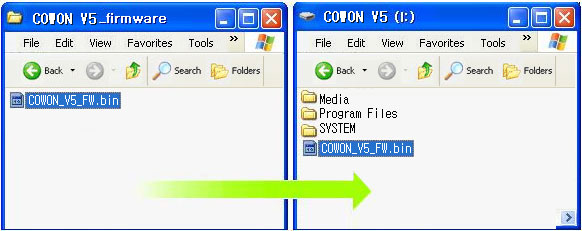
Copy and paste the firmware file to
the root folder of the device. |
| |
 |
| |
|
|
 |
Click ¡°safely remove hardware¡± icon
in the tray at the lower right corner of your computer
screen to disconnect the device from the PC. |
| |
|
|
 |
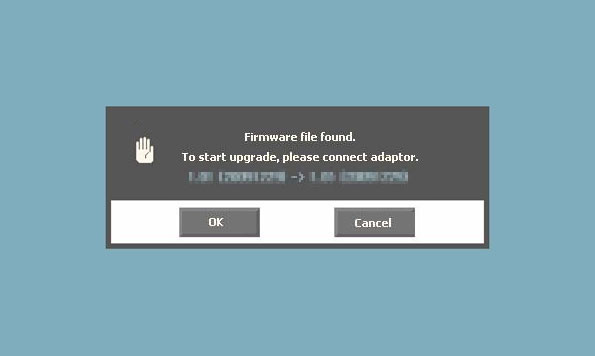
Connect AC adapter to COWON V5 and
turn on the device. |
| |
|
|
 |
Click ¡°Yes¡± to upgrade firmware.(Do
not turn off or reset the device while it is in
processing.) |
| |
 |
| |
|
|
 |
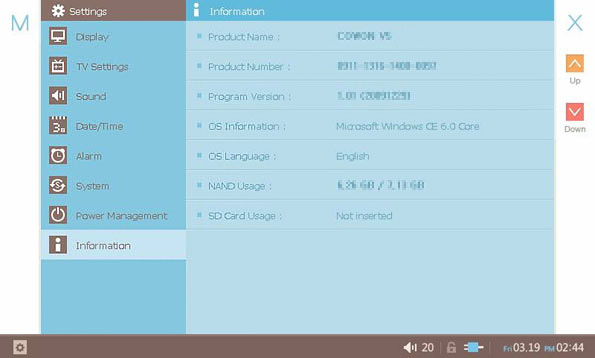
Please check settings >
Device Settings > information to firmware
upgrade is done correctly. |
| |
 |
| |
You can check firmware
version on Settings > Device Settings
> Information. |
| |
|
|





