| |
|
| |
Auto Capsule AC1/AD1 firmware V1.3.2 download |
 |
|
|
|
|
|
|
|
Detach the power jack connected with AC1/AD1 and take out the MicroSD card.
|
|
.jpg) |
|
|
|
Connect a MircoSD card to a PC using a MicroSD card reader.
|
|
.jpg) |
|
|
|
Format the MicroSD card.
|
|
* Caution! Be sure to back up all data since all the files are to be deleted after formatting. |
|
|
|
Unzip the firmware files and copy to the root folder of a MicroSD card.
|
|
|
|
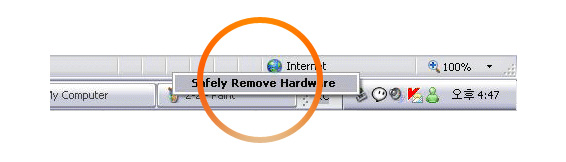
Take out the MicroSD card after conducting safely remove hardware.
|
|
 |
|
|
|
Insert the MicroSD card into AC1/AD1 and start the car.
|
|
|
|
|
|
AC1/AD1 will be upgraded when it is connected to a power jack.
|
|
* Caution! The power jack should be connected and engine activated until the upgrade is done while
AC1/AD1 upgrades blinking red and blue.
|
| |
|
AC1/AD1 will be rebooted when it is completely upgraded. When a blue light blinks, the voice guide as "Start real-time recording" will be followed.
|
|
|
|
|

 Back up any important data in the MicroSD card before upgrading firmware




