Firmware
2012-12-11 16:10:34
iAUDIO E2 Firmware V1.13
iAUDIO E2 Firmware V1.13

Warning/Caution
 Please make sure the battery is charged enough for upgrade. Please do not press the reset button of iAUDIO E2 while it is upgrading. Please back up your data. Please download firmware only on COWON website.
iAUDIO E2 Firmware V1.13 Download


 Please read notes before install the firmware.
1. Unzip the latest firmware provided by COWON.COM and save it in any folder in your PC.
2. Please connect your iAUDIO E2 directly to the USB port on your PC with the cable that provided
3. The battery must be fully charged.

Download the firmware to your PC and unzip it.
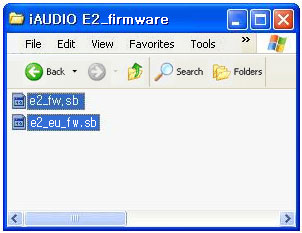

Connect iAUDIO E2 to the PC by USB cable.
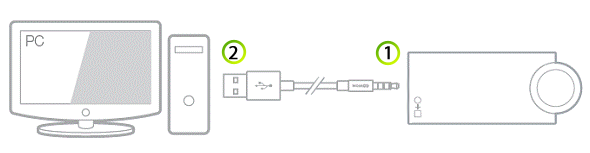
Connect part  first, and then connect part
first, and then connect part 
Copy firmware file to the rood folder of iAUDIO E2.
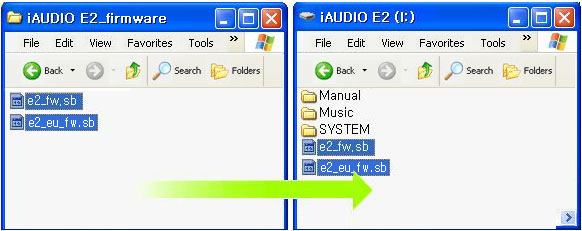

After copy is finished, disconnect iAUDIO E2 from the PC. LED will continue to blink while firmware upgrade.
Firware
Upgrade
Upgrade
Green LED continues to blink at intervals of 0.25s.
Firware Upgrade
is in progressing
is in progressing
(iAUDIO E2 will restart after firmware upgrade is completed.)