COWON
Firmware
Update your Cowon Product with the latest version of software/firmware.
Firmware 2013-02-14 16:56:37 Auto Capsule AC1/AD1 Firmware V1.3.4 / PC Player V1.3.4
Auto Capsule AC1/AD1 Firmware V1.3.4

Back up any important data in the MicroSD card before upgrading firmware
and copy the firmware files after formatting.

Please make sure to follow the instructions below when inserting the MicroSD card
with upgraded firmware.

Detach the power jack from AC1/AD1 Insert the MicroSD card Start a car
Connect AC1/AD1 to the power jack
Do not shut down a car engine or detach the power jack before the firmware upgrade is completed.

[ Improvements ]
1. Fixed the error of creating 0 byte files when checking recorded videos via Android Smart phones Micro SD slot.
2. Added a function to automatic reboot and voice alarm when problems arise. (Recording not functioning properly, Restarting Auto Capsule)
3. Added a voice guide in regards to a status of voice recording On/Off when booting up.
4. Adjusted volume of voice guide.
PC player V1.3.4 download
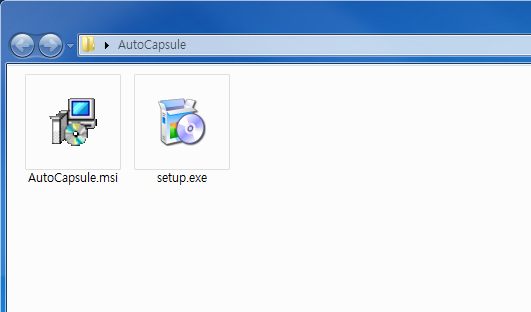
Unzip the PCplayer file and run setup.exe.
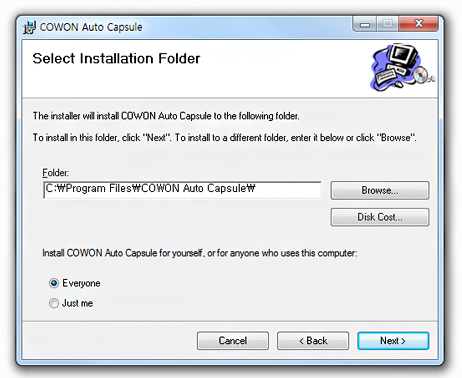
Choose the folder and select "Next" to install.
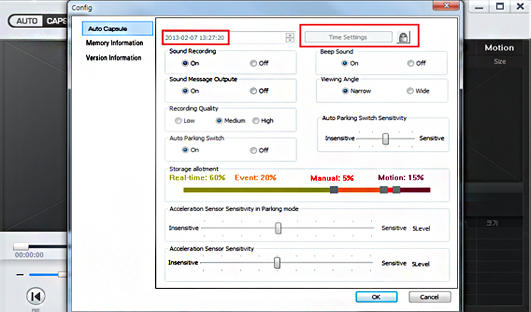
Select the Config to set Date & Time.
*Micro SD card should be inserted into your PC for time settings.
Auto Capsule AC1/AD1 firmware V1.3.4 download
Detach the power jack connected with AC1/AD1 and take out the MicroSD card.
Connect a MircoSD card to a PC using a MicroSD card reader.
Format the MicroSD card.
* Caution! Be sure to back up all data since all the files are to be deleted after formatting.
Unzip the firmware files and copy to the root folder of a MicroSD card.
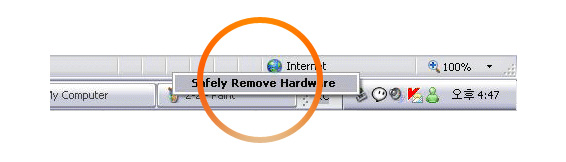
Take out the MicroSD card after conducting safely remove hardware.
Insert the MicroSD card into AC1/AD1 and start the car.
AC1/AD1 will be upgraded when it is connected to a power jack.

* Caution! The power jack should be connected and engine activated until the upgrade is done while AC1/AD1 upgrades blinking red and blue.
AC1/AD1 will be rebooted when it is completely upgraded. When a blue light blinks, the voice guide as "Start real-time recording" will be followed.
.
Auto Capsule AC1/AD1 Firmware V1.3.4 / PC Player V1.3.4 AC1/AD1 2013/02/14
iAUDIO E2 Firmware V1.13 iAUDIO E2 2012/12/11
COWON V5 Firmware V1.23 COWON V5 2012/09/11
COWON C2 Firmware V1.17 COWON C2 2012/04/17
COWON J3 Firmware V2.29 COWON J3 2012/04/03
COWON S9 Firmware V2.53 COWON S9 2010/08/02
COWON D2+ Firmware V2.13 COWON D2+ 2010/01/26
iAUDIO 7 firmware V1.18 iAUDIO 7 2009/05/29