Firmware
2013-06-19 17:20:03
Auto Capsule AW1 Firmware V1.9.0
Auto Capsule AW1 Firmware V1.9.0

Warning/Caution

Back up every important data in a memory card before upgrading firmware;
Save important files in the memory card in another storage device.
It is recommended to use SD Formatter 4.0 for SD/ SDHC/ SDXC to format a memory card.
If recordings are not saved, or there are errors during operation frequently,
please format the memory card. AW1 has a self memory card format feature
(Please refer to AW1 manual).
Memory cards are consumables. Regular checks and replacement are necessary.
Do not shut down a car engine or detach the power jack before completing firmware upgrade.
Please upgrade AW1 with the firmware COWON Systems, Inc. offers only.

Improvements

Improved boot process.
Fixed error of stopping while playing 720P in iOS.
Added quick guide on Smart Manager.
Fixed other bugs

Firmware Download
AW1 Firmware V1.9.0 Download 
Ways to wireless firmware update via Smart Manager
Download the latest Firmware
- Touch 'MENU' button from STORAGE tab when the phone is connected to 3G or Wi-Fi internet ¢º Download
the latest firmware
- Settings ¢º Check for firmware update
Firmware Installation on AW1
Settings ¢º Install the latest firmware on AW1(Firmware upgrade begins when AW1 restarts)
- Touch 'MENU' button from STORAGE tab when the phone is connected to 3G or Wi-Fi internet ¢º Download
the latest firmware
- Settings ¢º Check for firmware update
Firmware Installation on AW1
Settings ¢º Install the latest firmware on AW1(Firmware upgrade begins when AW1 restarts)

How to Install AW1 Firmware V1.9.0

Detach the power jack connected to AW1, and take out the memory card when LED indicator fades off completely
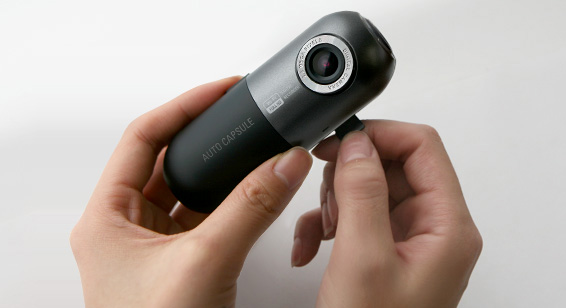

Connect a memory card to a PC using a memory card reader.
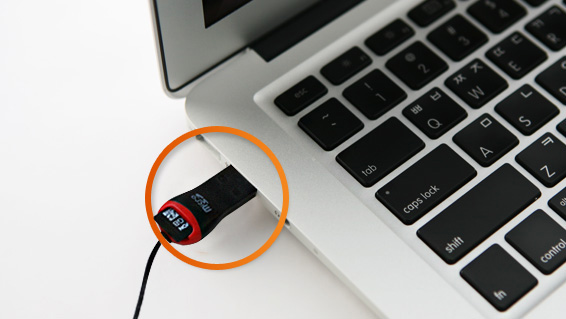

Unzip the firmware file. Then, copy and paste all the files to the root folder of a memory card.

Take out the memory card after conducting safely remove hardware.


Insert the memory card into unplugged AW1.

Start the ignition first, and then connect a power jack to AW1. Firmware upgrade will begin.
Do not turn off the ignition and keep a power jack connection during upgrade.

When upgrade completed, AW1 will be rebooted with Voice Guide, "Starting driving recording."

Please make sure to use the latest version of Smart Manager and PC Manager all the time.

Useful Programs
Memory Card Formatter - SD Formatter 4.0 for SD/SDHC/SDXC

Auto Capsule AW1 PC Manager V1.1.6
Smart Manager
Language Change of Voice Guide