Firmware
2014-10-31 14:21:48
COWON D20 Firmware V1.04
COWON D20 Firmware V1.04

Warning/Caution

Back up any important data before firmware upgrade.
Please remove the MicroSD card before firmware upgrade.
Please make sure the AC adapter is connected to the device during firmware upgrade.
Do not turn off the player before firmware update is done.


Modified errors of moving up and down on file list menu.
Modified errors of device¡¯s sudden stop when it is about to play FLAC files which are not
supported

COWON D20 Firmware V1.04 Download

* Please check version of firmware on Settings > About D20 > Firmware version


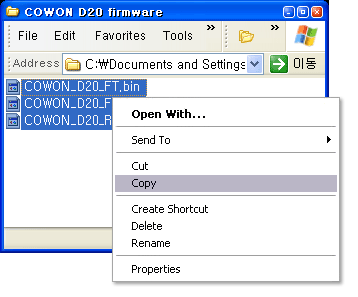
After unzip the firmware file, select all files in the firmware folder and right click to copy.

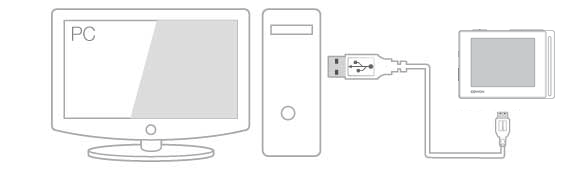
Connect COWON D20 to the PC by USB cable.

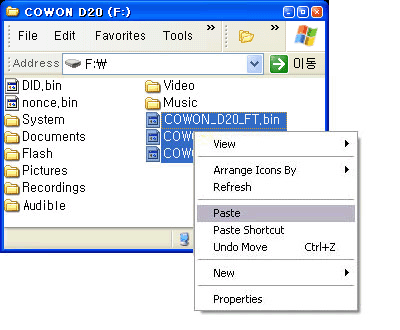
When connection is made, paste the firmware files to the root folder of COWON D20.

Click [Safely Remove Hardware] icon in the tray at the lower right corner of your computer screen to
computer screen to disconnect the device from the PC.


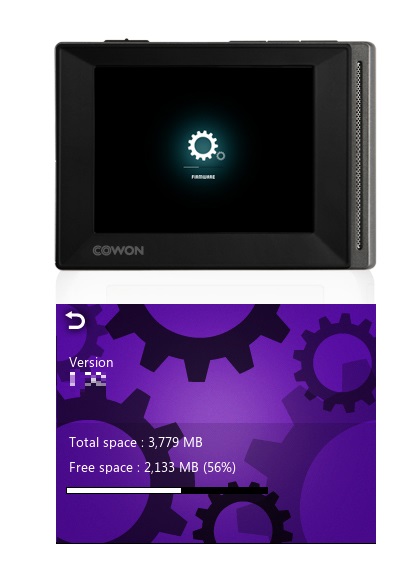
Make sure the COWON D20 is turned off and then turn on the device. COWON D20 will automatically
start firmware upgrade.
| COWON D20 Firmware V1.04 | COWON D20 | 2014/10/31 |
| iAUDIO 10 Firmware V1.10 | iAUDIO 10 | 2014/09/25 |
| iAUDIO 9 Firmware V1.18 | iAUDIO 9 | 2014/09/15 |
| iAUDIO 9+ Firmware V1.08 | iAUDIO 9+ | 2014/09/03 |
| COWON X9 Firmware V2.12 | COWON X9 | 2014/08/14 |
| Auto Capsule AF2 Firmware V2.575 and ISP V3.5 | AF2 | 2014/05/20 |
| Auto Capsule AF2 PC Manager V1.0.4 | AF2 | 2014/05/20 |
| Auto Capsule AE1 PC Manager V1.2.1 | AE1 | 2013/10/18 |