Firmware
2018-10-15 13:39:52
Auto Capsule AQ2 Firmware V1.2.0
Warning/Caution
- Back up every important data in a memory card before firmware upgrade. Save important files in the memory card in another storage device. It is recommended to use SD Formatter 4.0 for SD/ SDHC/ SDXC to format a memory card.
- If recordings are not saved, or there are errors during operation frequently, format the memory card. AQ2 can format a memory card by itself.(For more information, please refer to AQ2 manual).
- Memory cards are consumables. Regular checks and replacement are necessary.
- AQ2 works normally when firmware versions of Front and Rear devices are the same.
- Do not shut down a car engine or detach the power jack before AQ2 completes firmware upgrade.
- Upgrade AQ2 with the firmware COWON Systems, Inc. provides only.
New features
- Modification of the problem that the motion recording cannot be performed when driving / parking recording resolutions are different
Firmware Download
How to Install Firmware
-
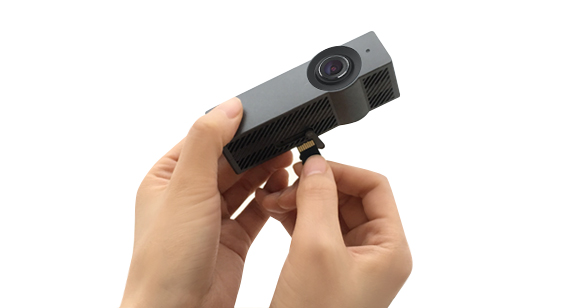
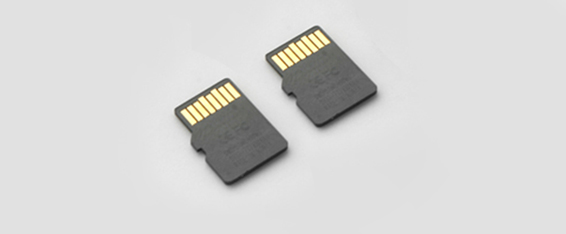
Detach the power jack connected to Front AQ2, and take out the memory card from both Front and Rear AQ2s when LED indicators fade off completely.
-
Connect the memory card to a PC using a memory card reader.
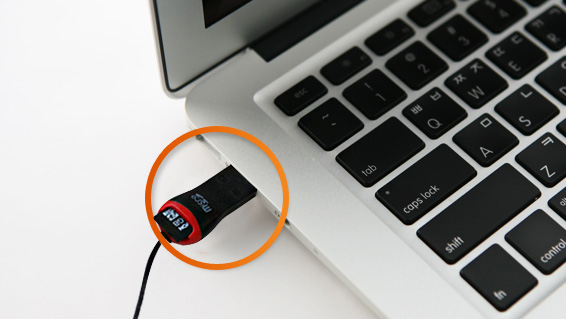
- Unzip the downloaded firmware file first. Copy and paste all the files to the root folder of the memory card.
-
When files are copied, take out the memory card after conducting ¡®safely remove hardware¡¯

- Please repeat 2 ~4 steps to Rear AQ2 as same as they have been done to Front AQ2.
- Insert the memory card into both unplugged Front and Rear AQ2s.
- Start the ignition first. Then connect a power jack to AQ2. Firmware upgrade will begin. Do not turn off the ignition and keep a power jack connection during upgrade.
- When upgrade completed, AQ2 will be rebooted with Voice Guide, "Starting driving recording."