Firmware
2018-10-24 13:23:54
PLENUE D Firmware V1.20
Warning/Caution
- The battery must be fully charged before firmware upgrade.
- Do not reset PLENUE during firmware upgrade.
- Backup any important files in PLENUE to your PC before firmware upgrade.
- Please use firmware that COWON authorizes only.
- JetEffect values might be initialized after firmware upgrade. Please record any important values.
New features
- Playback Speed Control Function
- Folder Playback Function
- Hearing Protection Settings (Settings/System/ Hearing Protection) *
- Support album image file cover.png
- User Interface (UI) alteration
- Browser Search Performance Upgrade
- FLAC File Compatibility Upgrade
- Initialization of volume value when ¡®returned to basic set-up¡¯
- Booting Speed Upgrade
- Changed to playing next song when playback error occurs.
- * This is a function used to set whether or not to reset the volume when earphones are removed from the device. Hearing protection is only available when the country is set to NON-EU countries.
Firmware Download
How to Install Firmware
-
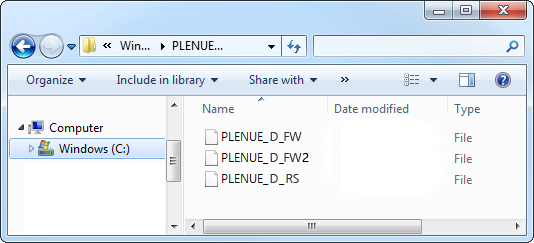
After downloading the firmware file (PLENUED_1.20.zip), unzip it (PLENUE_D_FW.BIN, PLENUE_D_FW2.BIN, PLENUE_D_RS.BIN).
-
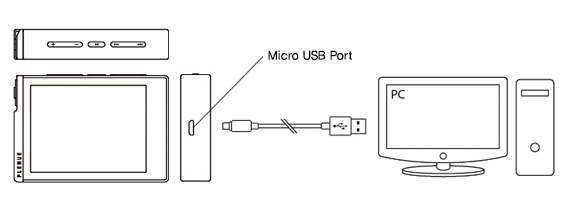
Turn on PLENUE D and connect it to a PC by a USB cable.
-
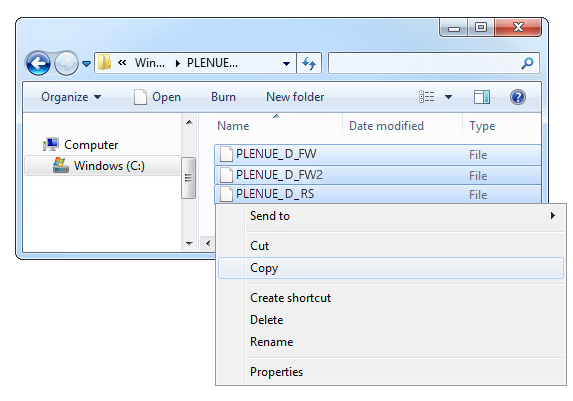
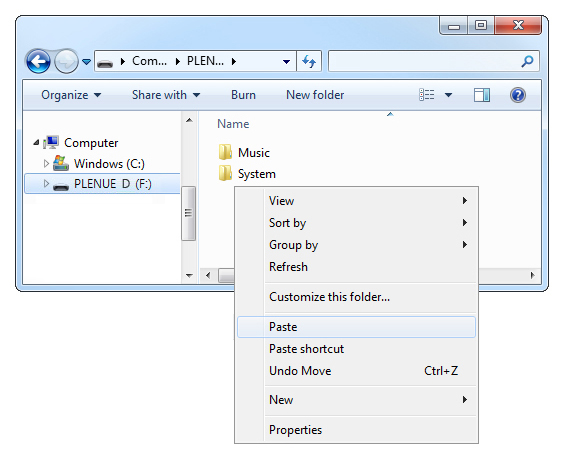
Copy and paste the two files (PLENUE_D_FW.BIN, PLENUE_D_FW2.BIN, PLENUE_D_RS.BIN) to the root folder of PLENUE D.
- Right-click on the icon [Safely Remove Hardware] in the tray at the lower right corner of the screen to disconnect the device from the PC.
-
First of all, please make sure PLENUE D is turned off. Then, press a power button of the device. Firmware upgrade process will be shown on the screen followed by PLENUE D's automatic turning off. Please turn on the device again.
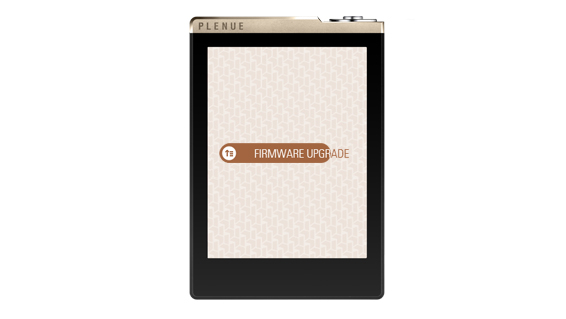
- Firmware version is can be checked at settings > system > information.